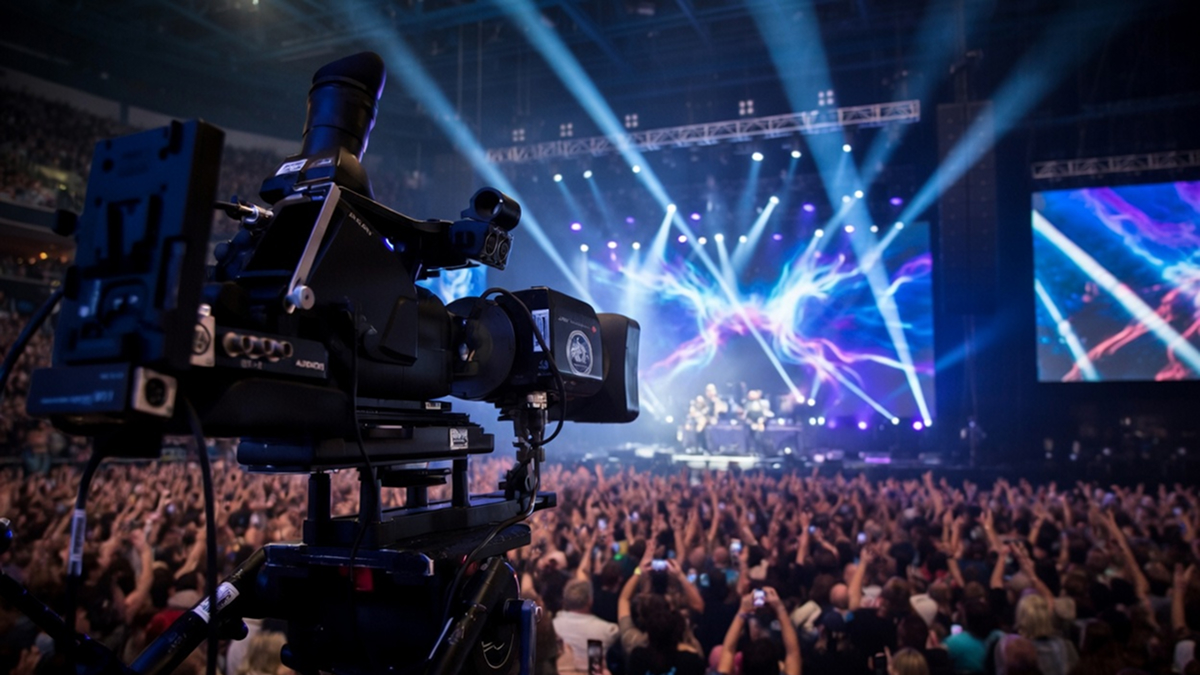
If you’re an event planner, event organizer, venue manager, promoter, or artist wondering “Where can I live stream an event?” this is a question we hope to give the answer to in this guide.
Live streaming has evolved from a nice-to-have into an arguably must-have revenue and engagement channel. Whether you’re broadcasting a sold-out concert from a historic venue, a corporate conference with global attendees, a charity gala, or an intimate artist meet-and-greet, the right live streaming platform can reach potentially thousands who couldn’t attend in person.
Yet choosing the right solution isn’t as simple as hitting “go live.” The best platforms to live stream events vary wildly in reach, production quality, monetization options, and audience demographics. Some excel at free, high-visibility broadcasts for broad awareness. Others deliver enterprise-grade security and analytics for ticketed or branded experiences. Here we hope to provide an in-depth live streaming platforms comparison packed with real data on costs, features, and limitations across your best options.
How Live Streaming Events Can Be a Game-Changer for Any Type of Event
Live streaming an event removes geographic, cost, and accessibility barriers.
For promoters and artists, these live streams drive immediate event revenue through pay-per-view, super chats, or tiered ticketing while creating evergreen VOD assets that keep generating views and ad income months later. A venue manager can use streams to fill seats virtually when physical capacity is capped or to test new programming with lower-risk pilots. Corporate event planners leverage virtual event streaming platforms to deliver training, product launches, or town halls with measurable engagement metrics that impress stakeholders.
Live streaming isn’t replacing in-person events, in case that’s a worry. It’s only going to amplify what you’re doing in a live in-person setting.
Done right, live streaming an event has been shown to deliver higher attendance, richer data, stronger community building, and diversified income streams.
The key is matching the platform to your event type, audience, and goals.
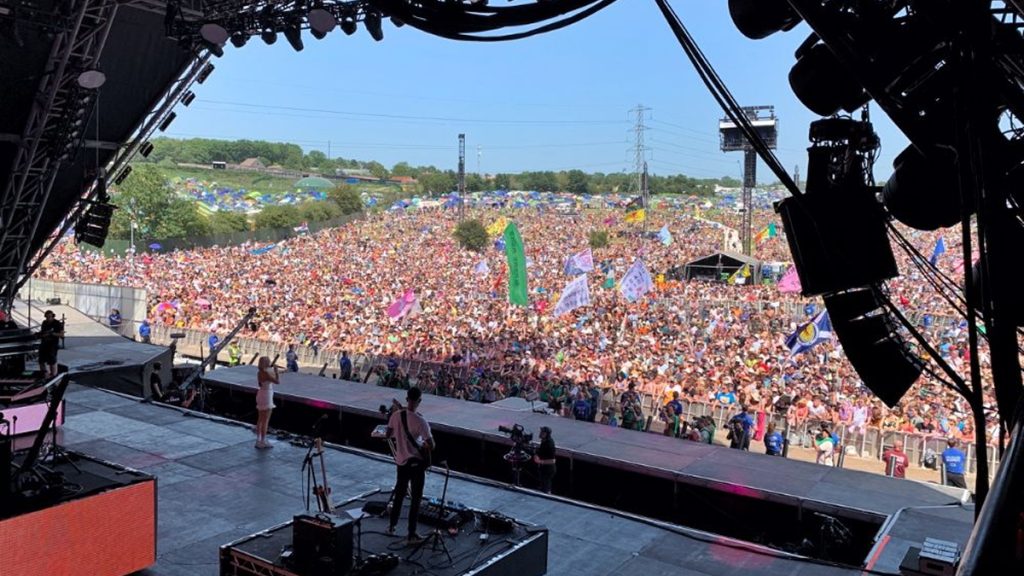
How to Live Stream an Event Online: Essential Steps and Considerations
Before diving into specific tools, here’s a quick glimpse into how to live stream an event online professionally.
Key technical requirements include stable high-speed internet (at least 10-20 Mbps upload for HD, more for 4K), reliable hardware (professional cameras, microphones, lighting), and backup power. Most modern live streaming software for events handles encoding, but pairing it with tools like OBS Studio or vMix gives you creative control over switching, graphics, and overlays.
Budget planning matters. Free live streaming platforms eliminate upfront costs but often limit customization or analytics. By comparison, paid live streaming platforms for events unlock HD quality, branding removal, advanced chat moderation, and detailed reporting, with features that pay for themselves through higher production value and sponsor appeal.
Test everything in advance. Run a private dress rehearsal, check mobile compatibility since many viewers watch on phones, and prepare moderators for live chat. Comply with copyright, accessibility (captions, transcripts), and data privacy rules, especially for ticketed events.
Finally, define how you intend to promote the stream across email, social, and your website with clear calls-to-action.
Best Platforms to Live Stream Events: A 2026 Comparison
When event organizers search for live stream event hosting platforms or top live streaming websites, they quickly discover the landscape splits into social-first free options, professional paid services, and hybrid tools. Here’s a practical live streaming platforms comparison focused on real events use cases, i.e. concerts, conferences, sports, festivals, corporate gatherings, and more.
1. YouTube Live
YouTube Live remains one of the most powerful free live streaming platforms for reaching a broad audience.
As of 2026, it is readily accessible once your channel is verified, which typically requires a phone number and basic account activity. The platform supports streaming in up to 4K with adaptive bitrate, automatically archives streams as VODs (with DVR-like pause and rewind functionality during the live broadcast), offers generous cloud storage for archived content, and includes robust built-in live chat moderation tools along with detailed YouTube Analytics.
Pros for Events
YouTube offers unmatched discoverability through its powerful algorithm. Streams continue to appear in search results and recommendations long after the live event ends, often generating significant additional views over time. This makes it especially effective for concerts, artist Q&As, educational webinars, and public festivals. Many promoters report substantially higher long-term view counts – often 5–10 times more – compared to platform-exclusive streams, thanks to YouTube’s massive global audience of over 2 billion users.
Limitations
Monetization options are primarily limited to ads, Super Chat, and channel memberships, with YouTube taking a percentage of the revenue. Branding and customization options are more restricted than on many paid platforms, and live streams can be difficult to promote without an existing subscriber base. Additionally, YouTube is generally not ideal for private events or heavily monetized ticketed experiences without using external tools and integrations.
Best for
Promoters and artists who want to maximize organic reach, audience growth, and long-term content visibility.
2. Facebook Live
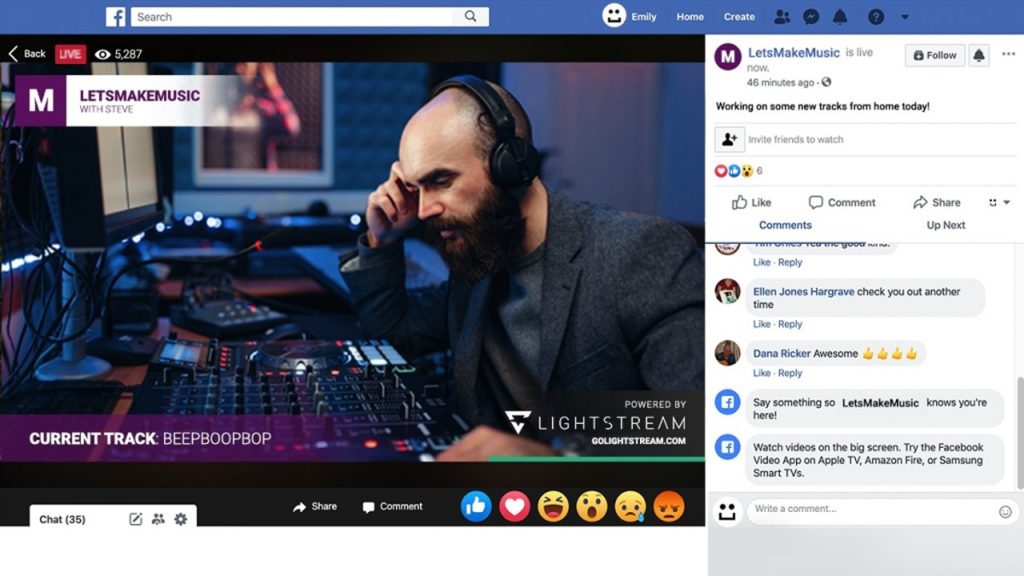
Facebook Live offers easy, built-in community engagement for a wide range of events.
It remains free to use with relatively low barriers to entry, making it accessible for most organizers. Streams are automatically saved and appear on your Page or Group timeline, supported by interactive features like reactions, comments, polls, and live viewer counts, along with Meta’s sharing tools and algorithm.
Features
Facebook Live supports multi-guest streaming (up to 3 guests natively), screen sharing (primarily via desktop/third-party tools), and strong integration with Facebook Events. This makes it especially useful for local venue promotions, charity fundraisers, community discussions, and behind-the-scenes artist content — particularly when your audience is already active on the platform.
Limitations
Visibility is highly dependent on algorithmic performance and your existing follower base. Since early 2025, live videos are only stored for 30 days before automatic deletion (unless downloaded or converted to Reels), which limits long-term archiving compared to other platforms. Branding customization is fairly basic, and many organizers have reported lower organic reach for live content than in previous years. It is generally not ideal for high-production or evergreen content that needs to remain available long-term.
Best for
Community-focused events, venue operators targeting local audiences, and quick, low-production live streams that prioritize real-time engagement over polish or long-term archiving.
3. Twitch Live Streaming
Twitch has successfully evolved beyond gaming, now supporting live events, e-sports tournaments, music performances, virtual album launches, and fan-driven interactive experiences.
Streaming is free to start, with monetization options including subscriptions, Bits (Cheers), ads, and Channel Points.
Key Features
Twitch excels with highly interactive tools such as raids, predictions, Channel Points redemptions, and a vibrant real-time chat culture. It also offers built-in clip creation and strong community features. Streams support up to 1080p at 60fps with low latency, delivering an immediate and immersive viewing experience. Many artists and promoters now use Twitch successfully for virtual album launches, live Q&As, interactive listening parties, and hybrid music/gaming events that thrive on audience participation.
Limitations
The platform’s audience remains predominantly younger (mostly under 35) and still carries a gaming-first reputation, which may not perfectly suit all event types, particularly more formal, corporate, or older-skewing audiences. Archived videos (VODs) are stored for a limited time – typically 7 days for regular users, 14 days for Affiliates, and 60 days for Partners/Prime users – before automatic deletion (unless manually downloaded or converted to Highlights, which now face a 100-hour storage cap per channel). Branding and customization options are more limited compared to professional platforms like YouTube or Vimeo.
Best for
Artists, promoters, and creators looking to engage younger, highly interactive audiences, especially for events that blend music, gaming, digital culture, or real-time participation.
4. Vimeo Live
Vimeo Live is a premium, paid live streaming solution designed for events where quality, branding control, and professionalism are priorities.
Live streaming is available on the Advanced plan and higher, with pricing typically starting at around $75 per month (billed annually) and scaling with storage, bandwidth, team seats, and advanced features.
Standout Features
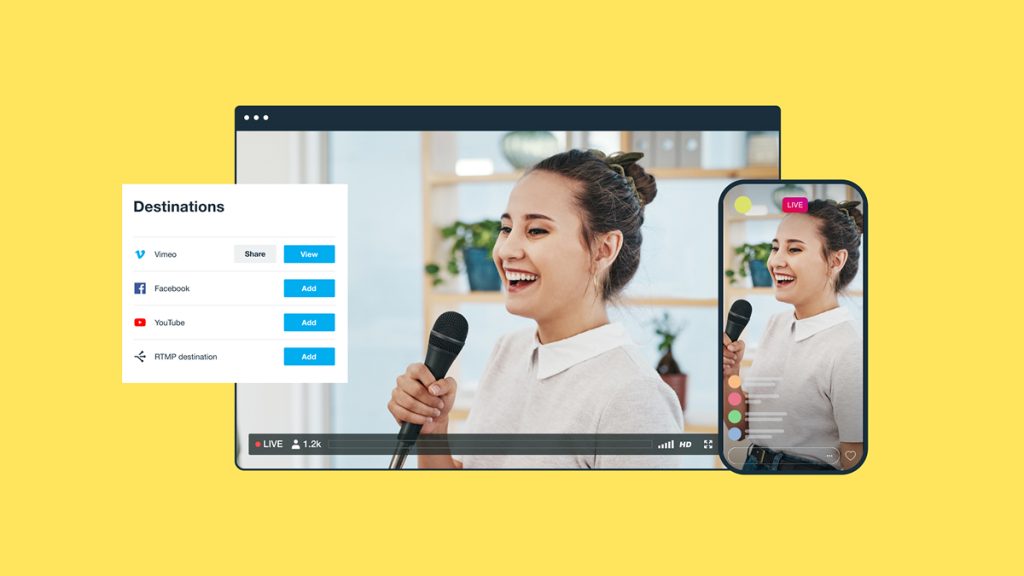
Vimeo delivers high-quality adaptive bitrate streaming (up to 4K in encoder mode), fully customizable branded video players, and multi-destination simulcasting to platforms like YouTube, Facebook, LinkedIn, and custom RTMP destinations. It also offers detailed analytics, robust privacy and access controls (including passwords, domains, and paywalls), and built-in monetization options such as ticketed pay-per-view events, subscriptions, and rentals via Vimeo OTT. These features make it especially well-suited for corporate product launches, ticketed concerts, high-production conferences, webinars, and branded virtual events where presentation and brand consistency matter.
Limitations
Vimeo is significantly more expensive than free social platforms and often requires more technical setup, planning, and familiarity with encoders for the best results. It is less ideal for spontaneous or low-budget broadcasts. Some advanced features (like higher concurrent streams or extended durations) are restricted to higher-tier or Enterprise plans.
Best for
Venue managers, promoters, corporations, and professional organizers who need polished, fully branded, secure, and monetizable live streaming experiences with strong long-term archiving and viewer control.
5. Zoom Events
Zoom Events (formerly known as Zoom Webinars + Events) has evolved into a comprehensive virtual and hybrid event platform, offering dedicated event hubs, multi-session experiences, and structured production tools.
Pricing for webinars starts at approximately $83 per month (billed annually) for up to 500 attendees on top of a Pro plan, while full Zoom Events capabilities for larger or multi-session events begin around $416 per month for 500 attendees, with higher tiers and enterprise contracts scaling significantly based on attendee volume and features.
Features
Zoom provides a robust set of tools for structured engagement, including breakout rooms, live polls, Q&A, registration management, attendee networking spaces, live transcription, AI Companion features, and strong hybrid event support. These capabilities make it a strong choice for conferences, training sessions, corporate meetings, product launches, and educational events that require organization, interaction, and attendee management.
Limitations
The experience often feels more like a professional meeting or webinar than a highly creative or entertainment-focused production, which may not suit music events, festivals, or artistic performances. Scaling to very large audiences (tens of thousands) requires higher-tier plans and careful technical planning. Branding is more limited compared to dedicated platforms like Vimeo, and the interface prioritizes functionality over cinematic production values.
Best for
Event planners and organizations hosting structured, interactive virtual or hybrid events, particularly in corporate or educational settings.
6. Instagram Live
Instagram Live excels at quick, mobile-first broadcasts that connect with younger, visually driven audiences.
Streaming is free, though starting a live broadcast now requires a public account with at least 1,000 followers. Advanced features are integrated within Meta’s broader ecosystem.
Key Features
Instagram Live supports streams of up to 4 hours, allows guest collaboration through co-hosting, and includes interactive tools such as Q&A, stickers, polls, reactions, and real-time comments. After the broadcast, you can download the video or share a replay to your feed or Stories, helping extend reach through Instagram’s Explore and recommendation features.
Pros for Events
This format is ideal for behind-the-scenes content, venue previews, pop-up performances, artist activations, and fashion-style events. The platform’s real-time engagement through comments, reactions, and gifts creates immediate buzz. Many promoters use it effectively as a funnel to drive audiences toward larger ticketed events or follow-up content.
Limitations
Streams are not stored indefinitely. You must save or share the replay shortly after ending, and even saved replays are only available for a limited time (typically up to 30 days). Analytics are basic compared to professional platforms, and monetization is mostly indirect via Badges (available to eligible creators, often requiring 10,000+ followers and restricted to certain regions). It is not well-suited for long-form, highly produced, or corporate-style broadcasts.
Best for
Creators, promoters, and brands targeting younger audiences with spontaneous, visually engaging, and highly interactive content that prioritizes real-time connection and quick buzz over polished production or long-term archiving.
7. LinkedIn Live
LinkedIn Live has emerged as a strong option for B2B, thought-leadership, and professional content.
Access is available once your profile or Page meets LinkedIn’s eligibility criteria (typically more than 150 followers/connections, good community standing, and an account at least 30 days old). The platform is free to use once enabled.
Features
LinkedIn Live emphasizes scheduled events for better discoverability and integrates natively with LinkedIn Events. It supports polls, Q&A, screen sharing, and multi-guest formats. Streams are automatically archived and remain visible on your profile or company page as “Previously recorded live” videos, providing ongoing value and SEO benefits within the LinkedIn ecosystem.
Pros
The platform gives access to a highly targeted, professional audience of decision-makers and industry peers. This makes it ideal for industry conferences, product launches, panel discussions, corporate webinars, and professional development sessions. Live streams frequently generate qualified leads, thoughtful comments, and meaningful networking opportunities that extend well beyond the event.
Limitations
As of June 22, 2026, spontaneous streaming has been phased out. All live events must be scheduled in advance (though you can schedule with very short notice, even minutes before). Reach is closely tied to your existing network and Page followers. The overall presentation style tends to feel more like a professional webinar or meeting than a highly polished or entertainment-focused production.
Best for
Event planners, corporations, consultants, and organizations hosting structured professional development sessions, conferences, panel discussions, or stakeholder communications aimed at a business and thought-leadership audience.
8. TikTok Live
TikTok Live has rapidly grown into a major hub for short-form, highly interactive, and entertaining live content.
Going live is free once eligible, with the standard requirement being at least 1,000 followers (plus being 18+ years old; some regional variations and workarounds exist for lower counts with high-engagement accounts). Streams can run for extended durations, often up to 60+ minutes or longer depending on account status.
Features
TikTok Live includes strong built-in monetization through LIVE Gifts, multi-guest streaming, visual effects, filters, duets/stitching, and real-time interactive tools. Its powerful algorithm provides strong promotion to new audiences via the For You Page. Clips and highlights from lives can quickly gain viral traction, significantly extending reach beyond the live session itself.
Pros for Events
The platform offers massive exposure to younger audiences, making it ideal for music releases, dance challenges, virtual performances, fan Q&As, artist activations, and trend-driven events. Real-time gifting enables creators and promoters to generate immediate revenue during streams, while high engagement helps build loyal communities and drive virality.
Limitations
Content moderation can be strict and sometimes inconsistent, with quick enforcement for guideline violations. Archived replays are available for a limited time (typically up to 30 days) and are not as permanent as on other platforms. The audience is predominantly younger (Gen Z and younger Millennials) and highly trend-driven, which may not suit formal, long-form, or corporate-style events. Additionally, promoting external links or directing traffic off-platform is heavily restricted and can result in reduced algorithmic reach.
Best for
Artists and promoters focused on creating viral, bite-sized live experiences or building strong engagement with Gen Z audiences.
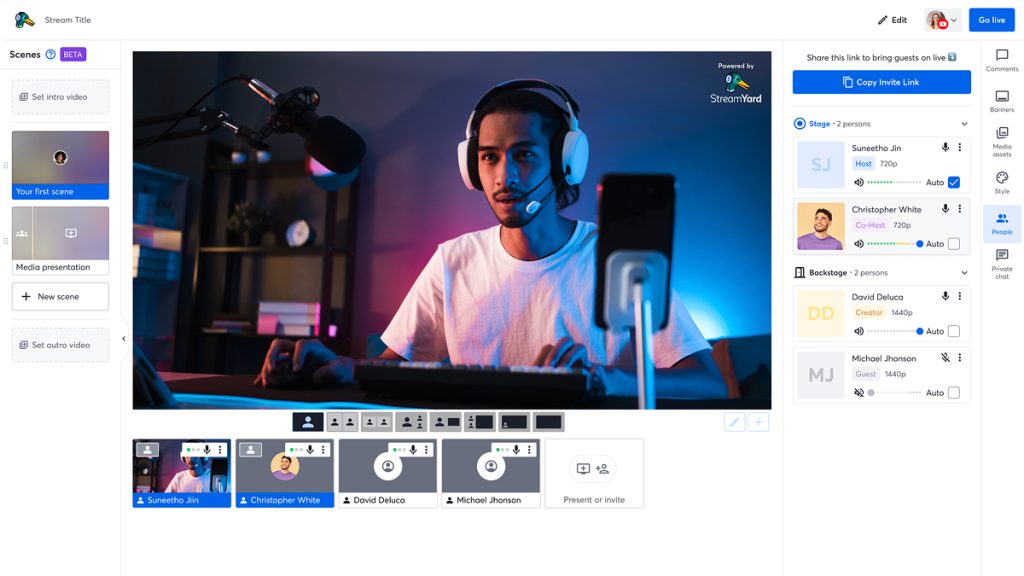
9. StreamYard
StreamYard stands out as one of the most accessible browser-based live streaming platforms for event production.
It offers a free tier (with watermark and limitations) while paid plans start at around $35–$45 per month (Core plan, billed annually) and scale upward depending on features and usage.
Features
StreamYard supports multi-guest streaming with up to 10 participants on screen (plus additional backstage guests), custom branding, overlays, screen sharing, local and cloud recording, and multistreaming to major platforms including YouTube, Facebook, LinkedIn, Twitch, and custom RTMP destinations. Its entirely browser-based interface requires no software downloads, making it quick and easy for teams to set up and collaborate.
Pros
It excels for webinars, interviews, panel discussions, virtual town halls, and hybrid events. Teams particularly appreciate the collaborative backstage area, the ability to display audience comments on screen, and the low technical barrier for non-technical users. Fast setup and reliable performance make it a popular choice for professional yet accessible productions.
Limitations
Performance relies heavily on stable internet connections for all participants and the host. Advanced features such as higher streaming quality (Full HD on lower plans, 4K recording on higher tiers), more simultaneous destinations, extended recording storage, and enhanced branding are locked behind paid plans. It is less ideal for highly complex, multi-camera broadcast productions compared to dedicated desktop software like OBS Studio.
Best for
Event planners, marketers, and teams seeking a budget-friendly, easy-to-use solution for talk-focused, interview-style, or panel-based virtual and hybrid events.
10. Restream
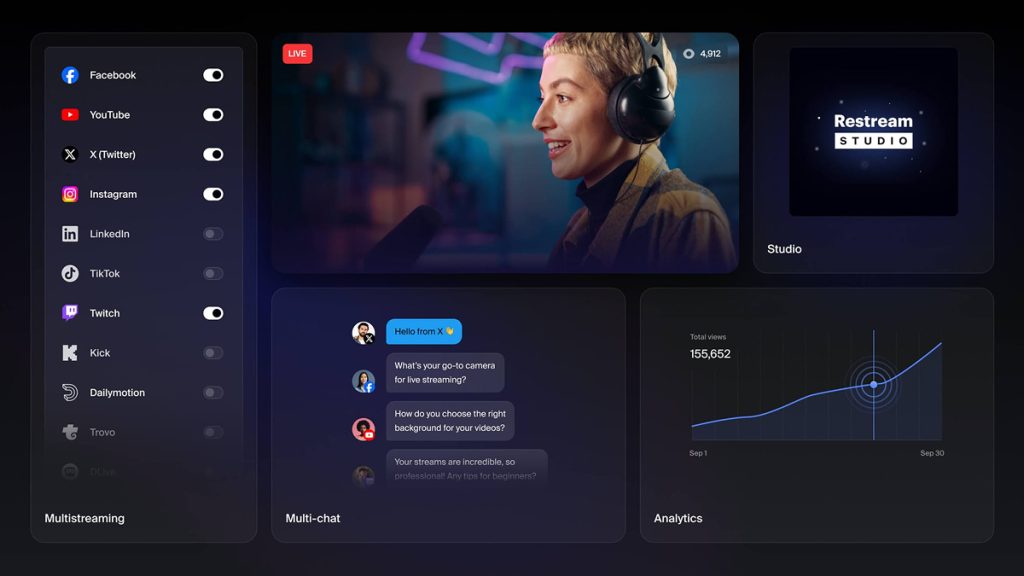
Restream is one of the leading multistreaming tools for businesses and creators who want to broadcast a single live event across multiple platforms simultaneously.
It offers a free plan that supports streaming to 2 destinations (with a watermark), while paid plans start at around $16–$19 per month (Standard plan, billed annually) and scale up to $39–$49 per month (Professional) or higher for Business tiers.
Features
Restream enables simultaneous broadcasting to 30+ platforms, including YouTube, Facebook, Twitch, LinkedIn, TikTok, X, and custom RTMP destinations. It includes a unified multi-chat to consolidate messages from all platforms, built-in analytics, and Restream Studio, a browser-based production tool that supports guests, custom overlays, screen sharing, and basic live show management.
Pros
The biggest advantage is expanded reach: promoters and organizers can deliver one live event to multiple audiences without managing separate streams. This is especially valuable for concerts, conferences, product launches, and promotional events. The unified chat system centralizes engagement, making it easier to monitor and respond to comments across platforms in real time.
Limitations
Restream focuses primarily on distribution and basic production rather than advanced video hosting, deep customization, or native monetization. It lacks the long-term archiving, detailed analytics, and branded player options found on platforms like Vimeo or YouTube. For highly polished or complex productions, it is often used in combination with other tools (such as OBS Studio or dedicated encoders). Advanced features like more simultaneous destinations, higher quality, and extended storage require higher-tier plans.
Best for
Promoters, marketers, and venue managers who want to efficiently broadcast live events across multiple major streaming platforms at the same time.
11. vMix
vMix is a powerful professional live streaming and production software solution for those serious about high-quality event streaming.
It uses a one-time purchase licensing model, with prices ranging from $60 for the Basic HD edition up to $1,200 for the full Pro version. A 60-day free trial is available, and a subscription option (vMix MAX) is also offered at around $50 per month.
Features
vMix supports unlimited inputs (depending on edition), 4K streaming and recording, advanced live switching, professional graphics and titles, full NDI integration, instant replay, multi-view monitoring, and broadcast-quality audio mixing. It runs exclusively on Windows and is designed to deliver TV-like production workflows on a single computer.
Pros
vMix offers exceptional control and flexibility for complex live productions such as music festivals, sporting events, multi-stage conferences, and large-scale corporate events. Its strong hardware integration (cameras, capture cards, PTZ control) and NDI support make it ideal for in-venue and high-end hybrid broadcast setups.
Limitations
vMix has a steep learning curve and is Windows-only, with no native support for Mac or Linux. It requires a powerful dedicated computer (especially for 4K, multiple cameras, or advanced features), which can increase overall setup costs. Lower-tier editions have significant feature and resolution limitations.
Best for
Venue managers and production teams that need full broadcast-level control for high-production-value live streams involving multiple cameras, sources, and advanced visual effects.
12. Dacast
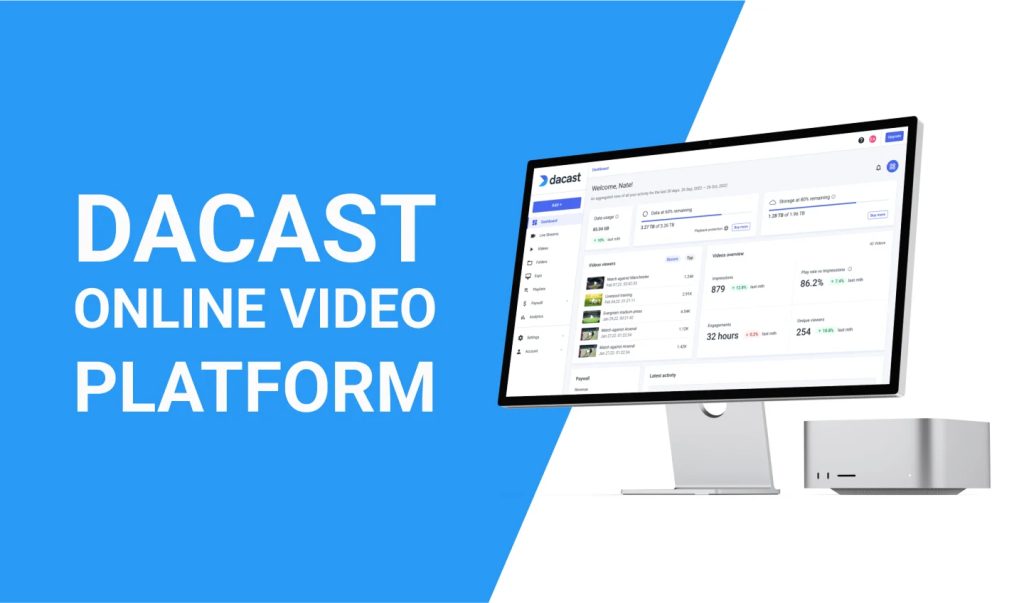
Dacast is a professional paid live streaming platform designed for businesses and organizers who prioritize reliability, scalability, security, and monetization.
Pricing starts at $39 per month (billed annually) for the Starter plan and goes up to $165 per month (billed annually) for the Scale tier, with additional bandwidth-based overage charges depending on viewership and usage.
Features
Dacast offers a customizable HTML5 video player, integrated paywalls for ticketed events, ad insertion (mid-roll and post-roll), detailed real-time analytics, white-label branding, and secure privacy controls. It supports multistreaming via RTMP to multiple destinations and leverages a robust global Content Delivery Network (CDN) for reliable performance. It also includes strong Video-on-Demand (VOD) hosting for archived replays and long-term content access.
Pros
The platform excels at secure, scalable delivery of ticketed or gated events, conferences, corporate broadcasts, and professional webinars. Its strong monetization tools (pay-per-view, subscriptions, and ads) combined with privacy features make it a solid choice for organizations where revenue generation, controlled access, and reliable global delivery are priorities.
Limitations
Dacast focuses more on professional delivery than social discovery, so organic audience growth is more limited compared to platforms like YouTube or TikTok. Bandwidth costs can rise significantly with very large audiences, requiring careful planning and budgeting. It is also less suited for highly spontaneous or low-budget broadcasts.
Best for
Businesses and event organizers looking for professional, controlled live streaming solutions that prioritize monetization, security, and reliable global delivery.
How to Stream Live Events Professionally: Advanced Tips
Mastering how to broadcast live events online goes well beyond simply choosing an events ticketing platform and live stream platform.
Professional streaming requires using a dedicated encoder such as OBS or vMix to handle multi-camera switching, overlays like lower thirds, transitions, and overall production control. Just as important is investing in high-quality audio. Poor sound is one of the fastest ways to lose viewer engagement, even if the video quality is strong.
- Redundancy is non-negotiable: Use dual internet connections (a wired primary connection paired with a cellular backup) and maintain a secondary encoder or backup system to prevent stream interruptions during critical moments.
- Engagement layer: Actively moderate live chat, pin important messages, run polls, and acknowledge super chats, gifts, or comments in real time to keep audiences involved and reduce drop-off.
- Post-production workflow: Automatically generate highlights, short clips, and captions after the stream ends, then repurpose them into Shorts, Reels, or other social content to extend reach and lifespan.
- Analytics deep dive: Monitor metrics such as concurrent viewers, audience drop-off points, geographic distribution, and engagement rates to identify patterns and improve future broadcasts.
- Monetization mix: Diversify revenue streams by combining ticketed access, sponsorship integrations, merchandise links, and platform-native monetization tools such as ads or viewer gifts.
It’s also essential to test synchronization between in-room audio-visual systems and the live stream to ensure a seamless experience for both in-person and remote audiences.
Many successful promoters now treat live streams as long-term content engines rather than one-off events. A single well-produced concert stream can generate months of reusable clips that continue driving awareness and ticket sales for future events.
Choosing the Right Live Streaming Platform for Your Needs
The question of where to live stream an event opens up new opportunities for reach, engagement, and revenue at an unprecedented scale.
From platforms like YouTube Live for maximum discovery, to enterprise-grade solutions such as Dacast or Vimeo for greater control, the right choice can transform a single in-person event into a global live stream experience.
Event planners, venue managers, promoters, and artists who learn how to stream live events professionally will be best positioned for long-term success. By combining in-person audiences with virtual viewers, they can create lasting digital assets, unlock new monetization streams, and build data-driven strategies that strengthen their business year after year.
The key is to start small, measure performance closely, and continuously refine your approach. Whether it’s an intimate artist showcase in Toronto or a large-scale festival, today’s tools make it possible to deliver impactful experiences for both those in the room and audiences watching from anywhere in the world.
If you’re ready to go live, compare your goals against the platforms outlined above, run a test stream this week, and begin optimizing from there. The future of events is hybrid, interactive, and always-on, and the best live streaming platforms are already in place to help you take full advantage of it.