Curious about how you scan tickets for your event come the day of? Ticketscene gives you several tools to manage patron entry on the day of your event, from scanning tickets with your phone to manually checking in guests from a list and keeping track of door sales.
Here is a rundown of everything available to you from the event management page.
Scan Patrons In with the Ticketscene App
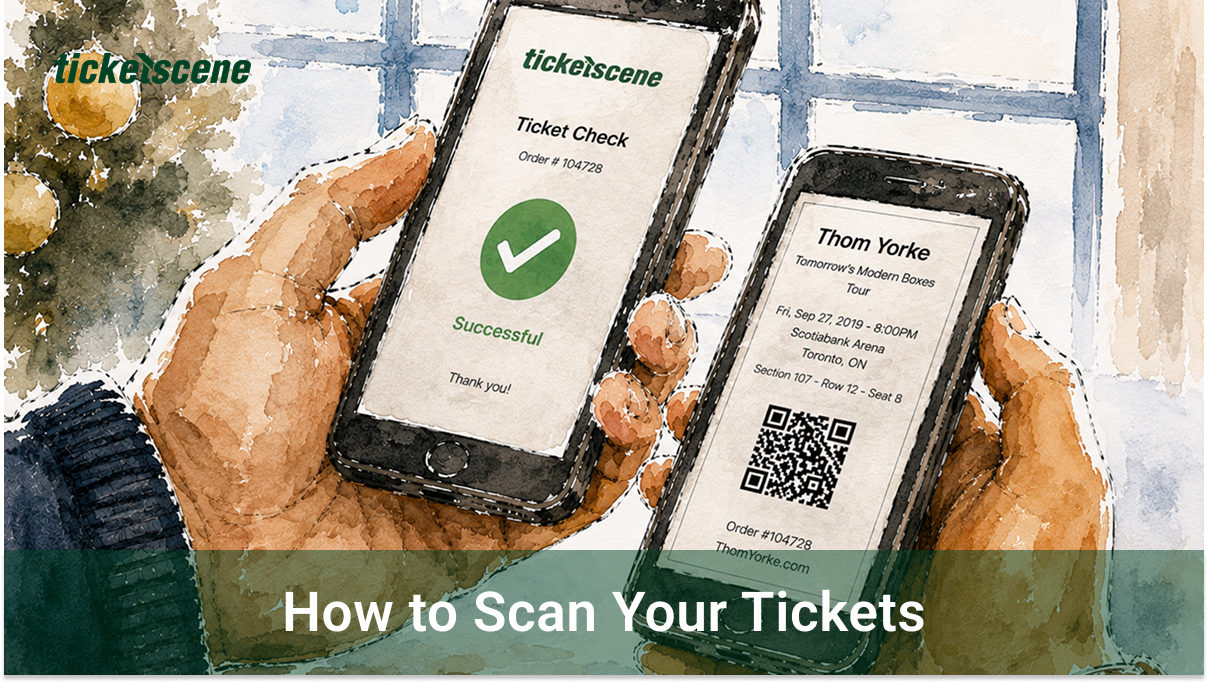
The easiest way to scan tickets at the door is with the free Ticketscene Phone Scanner App, available for both Android and iPhone. Download it ahead of your event so you are ready to go when doors open.
- Android: search for Ticketscene in the Google Play Store
- iPhone: search for Ticketscene in the Apple App Store
See Who Has Been Checked In and Which Tickets Have Been Scanned
From the event management page, click Electronic Guestlist.
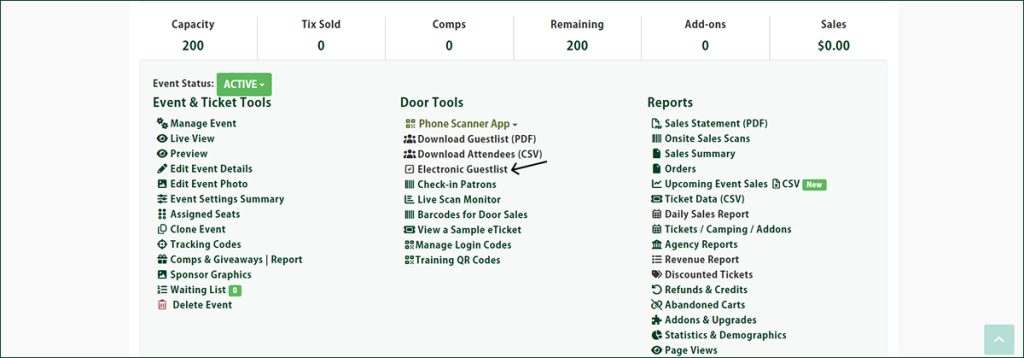
This gives you a full list of patrons and lets you see who has already been checked in. You can also manually check in guests directly from this list if needed which is useful for situations where a ticket cannot be scanned.
Can’t Scan? How You Can Check In Patrons by Their Name or Ticket Number
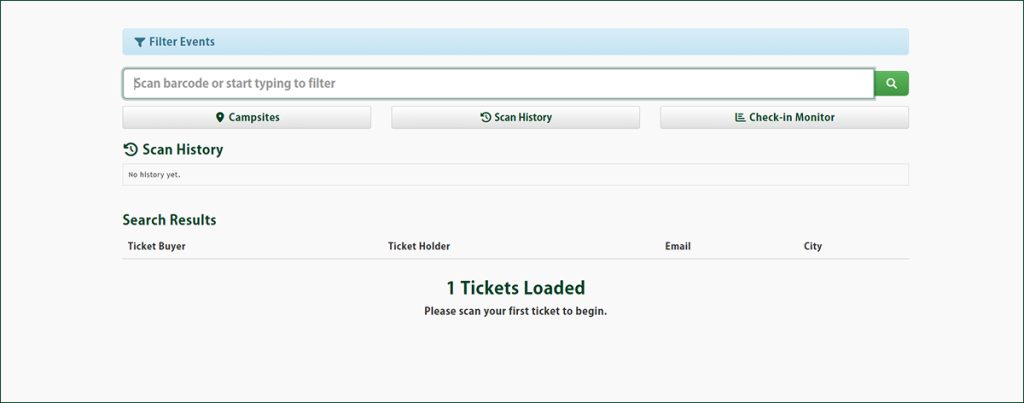
From the event management page, click Check-in Patrons.
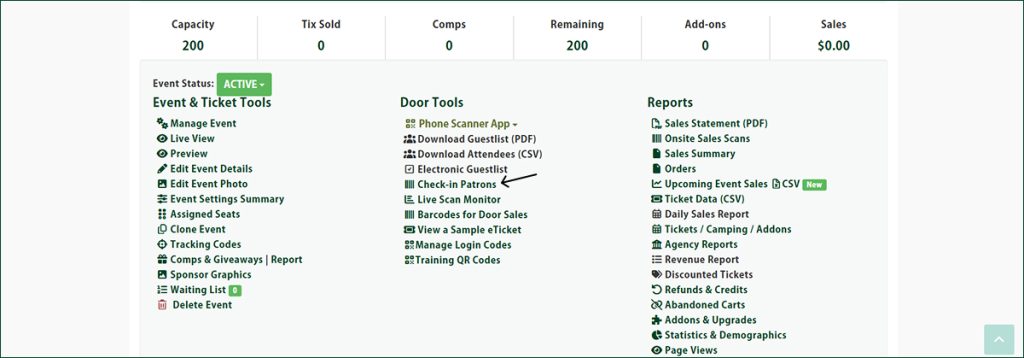
This lets you look up a specific attendee by their name or ticket number and check them in directly, a handy option at a busy door when you need to find someone quickly.
Can I See How Many Tickets Have Been Scanned For My Event?
From the event management page, click Live Scan Monitor.
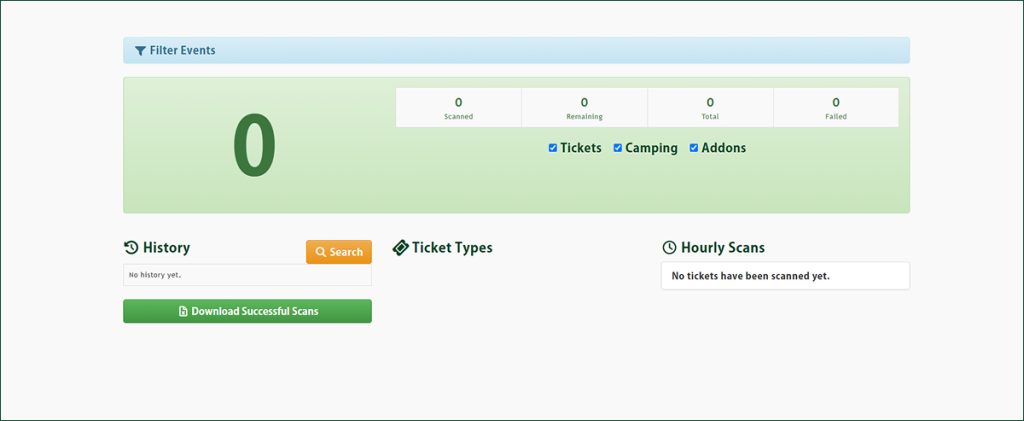
This gives you a real-time view of how many tickets have been scanned so far, which is great for keeping an eye on attendance as your event gets underway.
How Can I Keep Track of Tickets Sold At the Door?
From the event management page, click Barcodes for Door Sales.
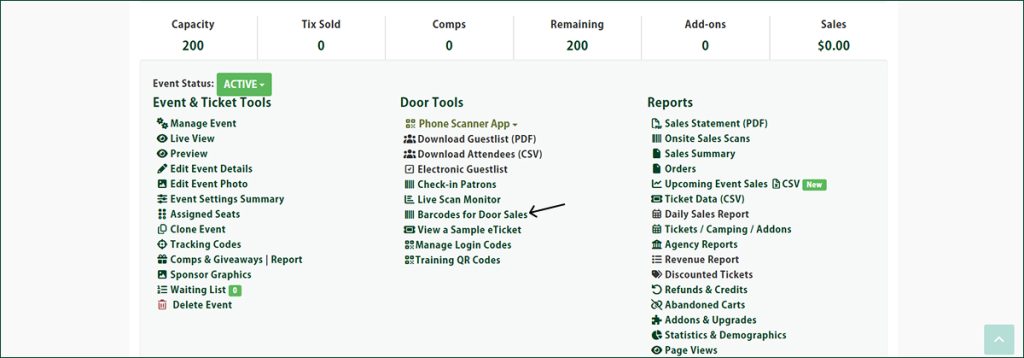
This will download a set of barcodes that your staff can scan each time a ticket is sold at the door. Each scan is recorded automatically, so you have an accurate count of door sales throughout the event.
Have Questions About Scanning or Check-In?
If you need help setting up the scanner app or have questions about any of the check-in tools, reach out to the Ticketscene team at info@ticketscene.ca and we will be happy to assist.