Not every ticket buyer wants (or should pay for) the same thing. Some are adults, some are seniors, some are kids in tow, and some just want to skip straight to the VIP line. That’s where price levels come in. Ticketscene lets you build out exactly the pricing structure your event needs, whether that’s a single general admission price or a full lineup of options with their own limits, restrictions, and perks. Here’s how to set it up.
What Are Price Levels?
A price level is simply a ticket type with its own price, and you can add as many as your event needs. Selling to adults, seniors, and children? Offering both general admission and VIP? Each of those can be its own price level, set up right on the make or edit event form.
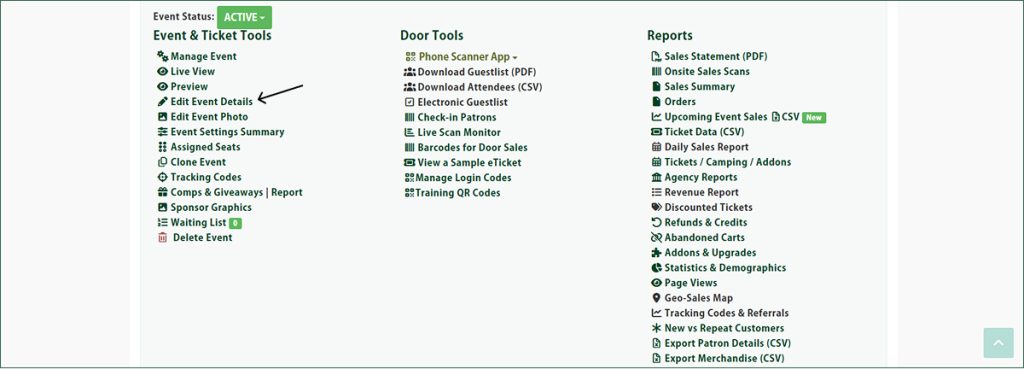
How Do I Create Ticket Price Levels for My Event?
For every price level you create, you’ll set a price (including tax) and a short, one-sentence description that helps buyers know exactly what they’re purchasing. You can also fine-tune things further with optional settings, such as:
- Quantity limits, so you can cap how many tickets are available at that level
- Age restrictions, with a minimum and maximum age for that price level
- On-sale times, so a price level only becomes available when you want it to
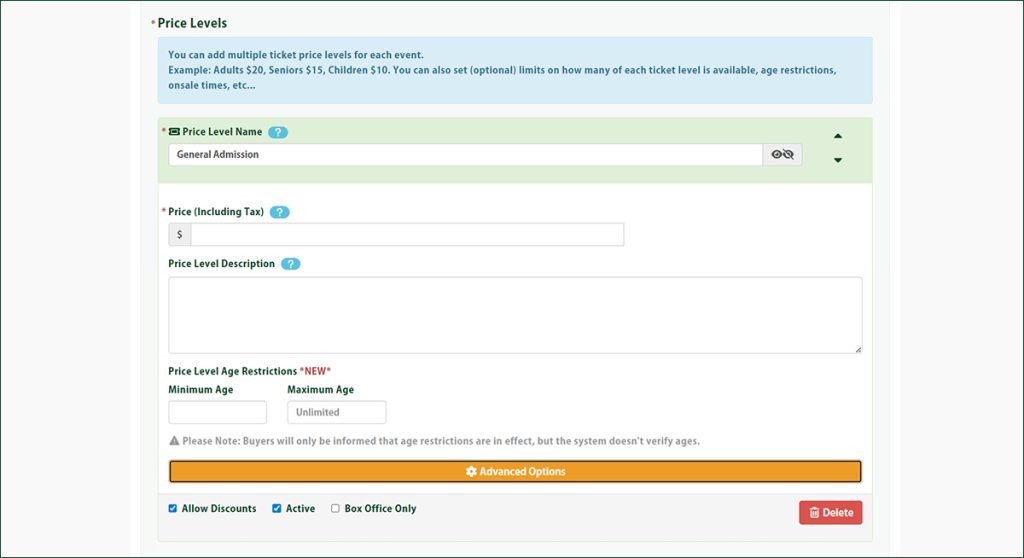
Please note: if your event is entirely general admission, you don’t need to create multiple price levels. Simply create one price level and you’re all set.
Why Isn’t My Price Level Showing?
If you’ve created a price level but it isn’t appearing on your event page, double-check the Active checkbox located just below the price level on the make or edit event form.
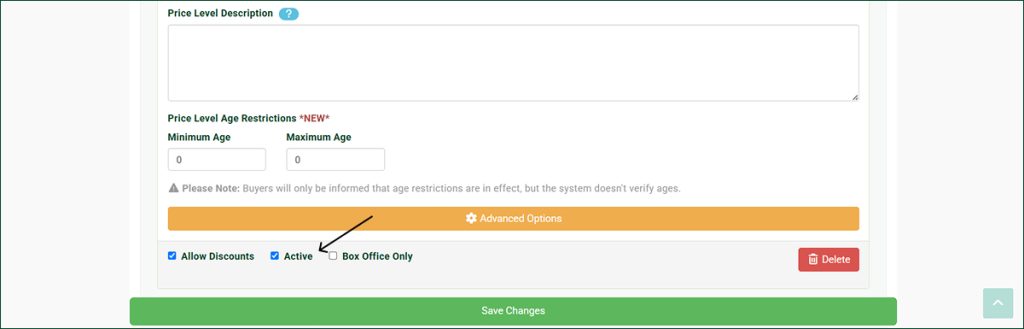
If it isn’t checked, the price level will stay hidden from buyers.
Did You Know You Can Apply a Password for a Price Level?
Want to keep a price level just for a select group, like presale buyers, sponsors, or guest list? You can lock it behind a password:
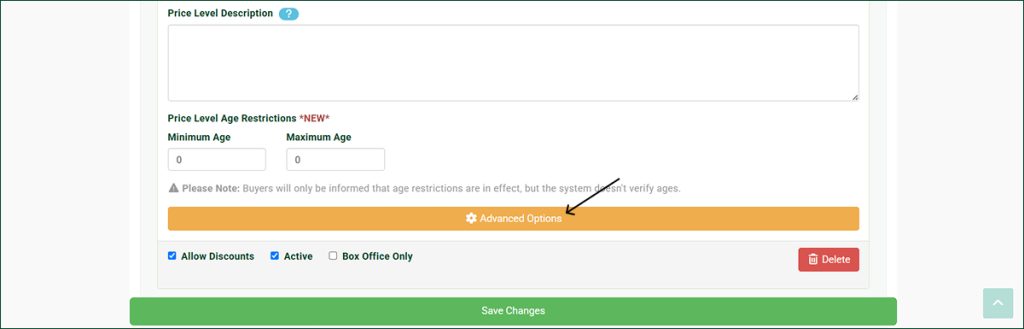
- Set up the price level as you normally would.
- Click the orange Advanced Options button.
- Set the password your buyers will need to enter. Keep in mind that the password is case sensitive.
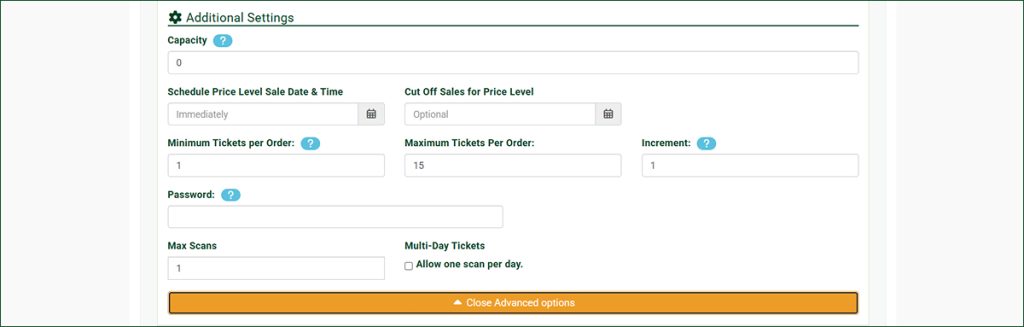
Once that’s in place, only buyers with the password will be able to unlock and purchase that price level.
Have Questions About Setting Up Price Levels?
Pricing your event right can make all the difference in how it sells, and we’re happy to help you get it set up. If you need a hand creating your price levels or have questions about how they work, reach out to the Ticketscene team at info@ticketscene.ca and we will be happy to help.