Ever thought about putting some of your tickets on sale early and doing a presale specifically for your fanbase? A presale lets you reward loyal followers, mailing list subscribers, or members with early access to tickets before they go on sale to the general public, and it’s a great way to build buzz and lock in early sales momentum. Ticketscene makes this easy to set up using the same price level tools you’re already familiar with. Here’s how to get a presale up and running for your event.
What Is a Presale?
A presale is simply a price level that goes on sale, and often goes off sale, earlier than your general onsale. It gives a select group of buyers, like newsletter subscribers, members, or fan club patrons, a head start on grabbing tickets before they’re available to everyone else.
Once the presale window closes, you can have your general admission or other price levels take over.
How Do I Set Up a Presale for My Event?
Setting up a presale starts the same way as creating any other price level.
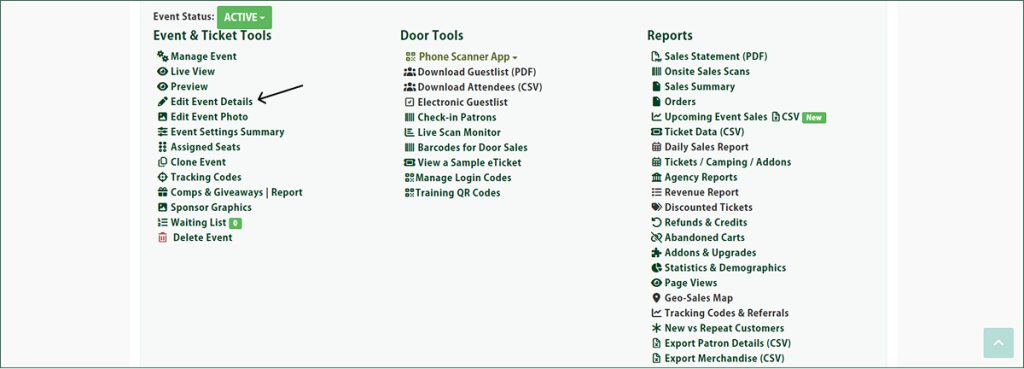
Set up the price level as you normally would, giving it a name, price, and description. Next, click the orange Advanced Options button.
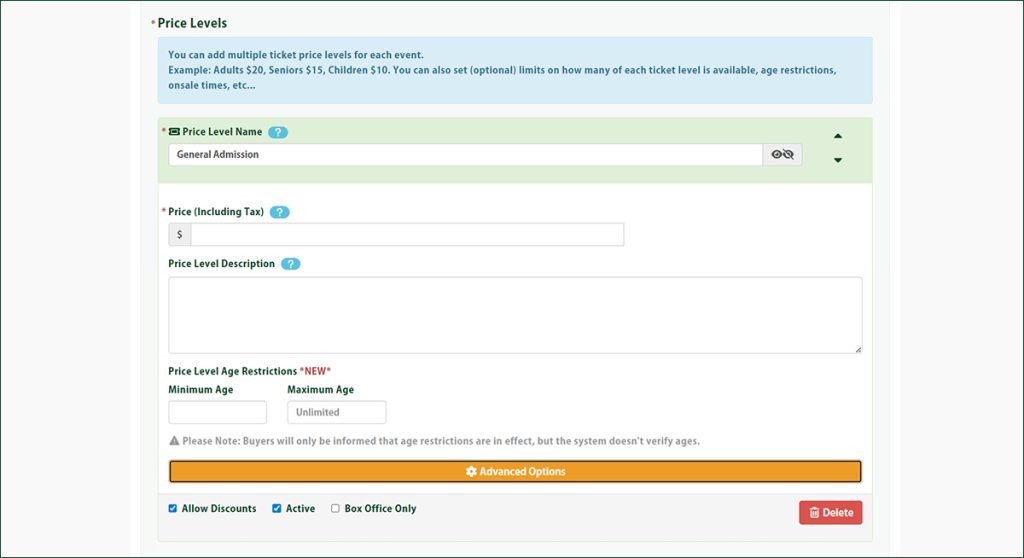
Use the Schedule Price Level Sale Date & Time field along with Cut Off Sales for Price Level to set exactly when the presale should open and close. The price level will only be visible to buyers during that window.
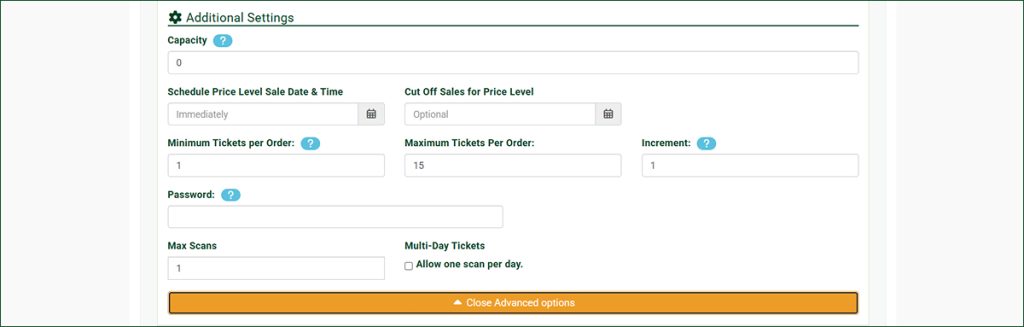
Use the Password field if you want to further restrict access, such as limiting the presale to an email list or a specific group of buyers who have the password.
Please note that once your presale window has closed, the price level will automatically stop being available, so you don’t have to remember to turn it off yourself.
Can I Combine a Presale With Other Price Levels?
Yes. Since a presale is just another price level, you can run it alongside your regular price levels, such as general admission, VIP, or age-based pricing.
Just remember that if it’s all general admission with no special early access, you don’t need a presale at all. Simply create one price level.
Why Isn’t My Presale Showing?
If your presale price level isn’t appearing, first make sure the Active checkbox located just below the price level on the make or edit event form is checked.
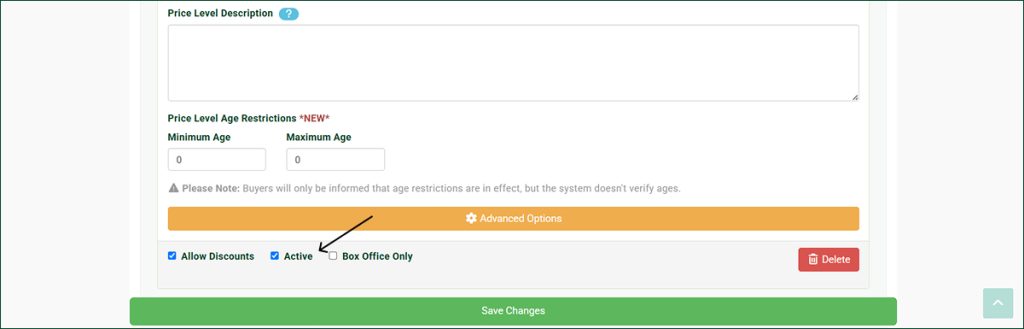
From there, double-check the Schedule Price Level Sale Date & Time and Cut Off Sales for Price Level fields to confirm the presale window is actually open.
Also, if a password is set, remember buyers will need to enter it exactly, since it’s case sensitive.
Have Questions About Setting Up a Presale?
A well-timed presale can help build excitement and get tickets moving before your event even goes fully on sale, and we’re happy to help you get it set up right. If you need a hand creating your presale or have questions about how it works, reach out to the Ticketscene team at info@ticketscene.ca and we will be happy to help.