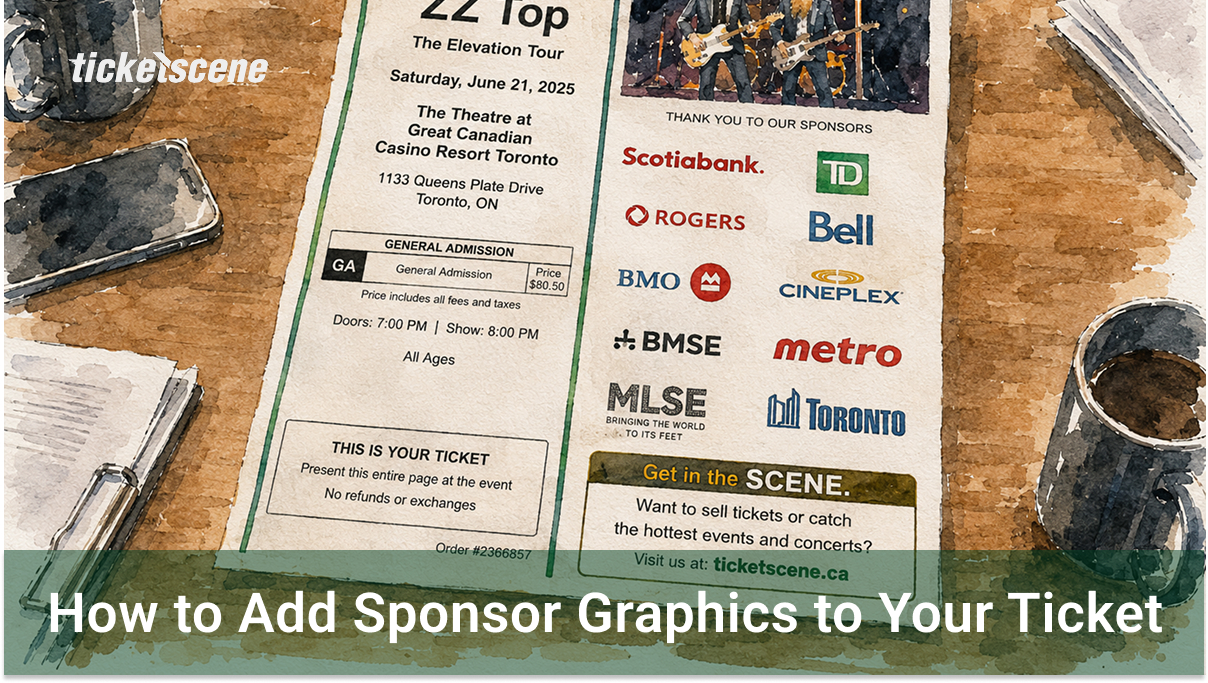
Sponsors play an important role in making events happen, and Ticketscene gives you an easy way to give them extra visibility by displaying their graphics directly on your E-tickets. For free. No cost, no charge. Whether you have one sponsor or several, you can control which ticket price levels show the graphic and upload the artwork in just a few steps.
How to Upload Sponsor Graphics
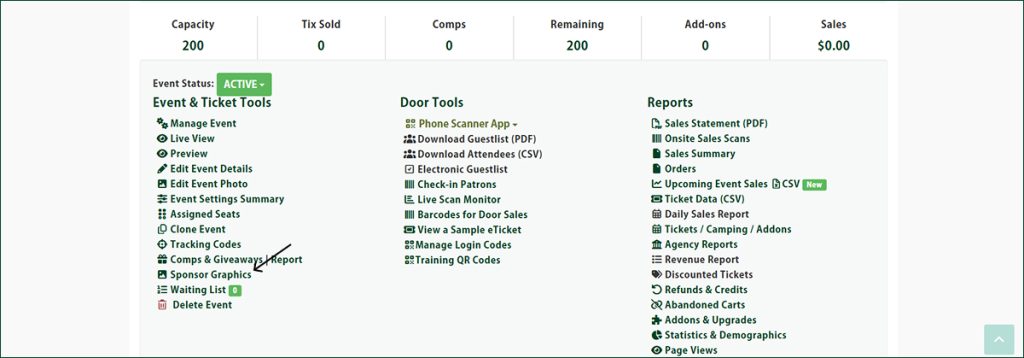
From the event management page, click on Sponsor Graphics.
Select which price level or levels the graphic should appear on when attendees print their tickets.
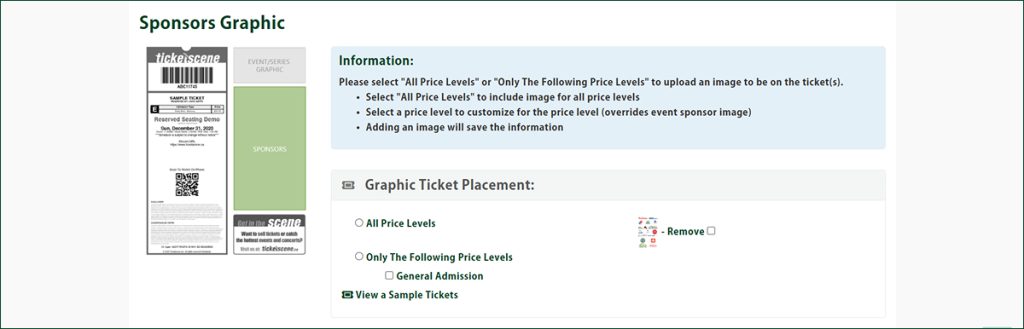
Then upload the image file containing the sponsor artwork.

Please note that regardless of the resolution of the uploaded file, the image may appear pixelated when printed. This is a known limitation and cannot be changed.
Image Requirements for Sponsor Graphics
Before uploading, please make sure your image meets the following requirements:
- File size must be under 2 MB
- File format must be .jpg or .jpeg
- Image dimensions are typically 254px wide by 578px high, but this may vary. Please pay close attention to the width and height posted on the upload page, as your event may require different dimensions.
Have Questions About Sponsor Graphics?
If you need help getting your sponsor artwork set up or have questions about image sizing, reach out to the Ticketscene team at info@ticketscene.ca and we will be happy to help.