Complimentary tickets are a great way to reward contest winners, run giveaways, or extend VIP access to guests without going through the standard checkout process. Ticketscene makes it easy to issue comp tickets directly from your event management page and even supports contest workflows where a coordinator holds the tickets before passing them along to the final recipients.
How to Issue a Complimentary Ticket
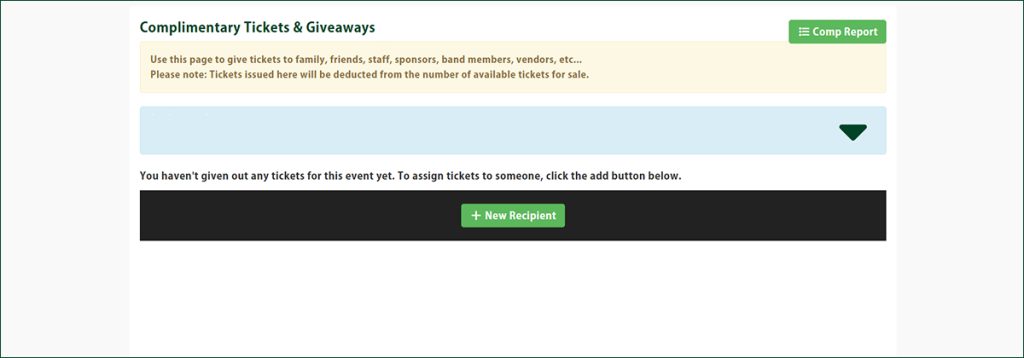
From the event management page, click Comps & Giveaways.
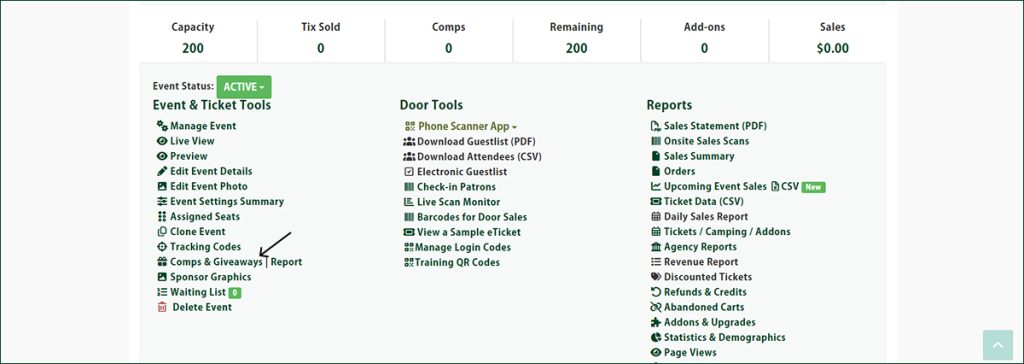
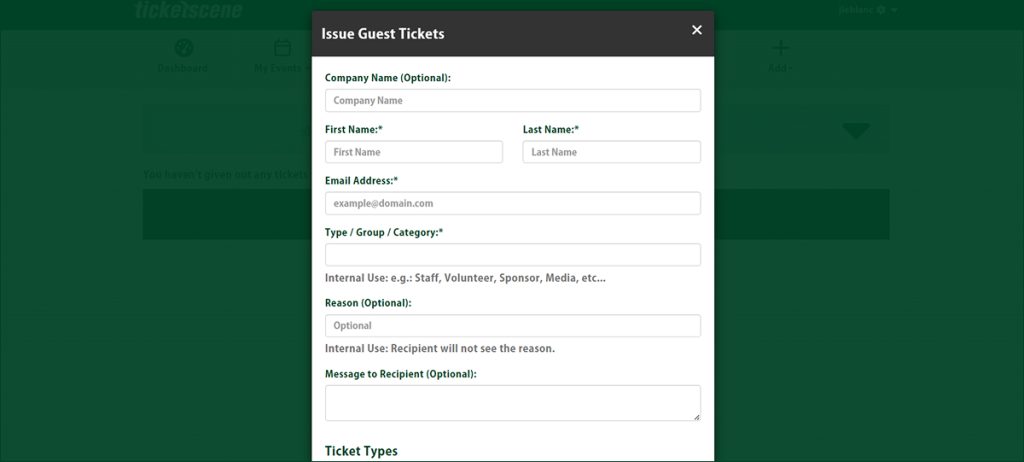
Then click the + New Recipient button at the bottom of the page and fill in the form. Fields marked with an asterisk (*) are required before the record can be saved.
Required Fields to Register a Comp Ticket for Your Event
At a minimum, you will need to fill in the following fields to save the complimentary ticket record:
- First Name
- Last Name
- Email Address
- Type / Group / Category
You Can Use Comp Tickets for Contests and Ticket Giveaways
Complimentary tickets work well for contest giveaways where the winner may not be known at the time the ticket is issued.
Here is a common workflow for contest coordinators, if you aren’t sure the best way to go about registering a comp ticket for a contest or giveaway.
- Issue the complimentary ticket(s) to yourself or the contest coordinator as the initial recipient.
- Once the winner is confirmed, update the recipient’s name and email address on the comp ticket record.
- Email the ticket PDF directly to the winner from within Ticketscene.
This approach lets you get tickets issued ahead of time without needing to know the end recipient upfront.
Have Questions About Comp Tickets or Giveaways?
If you need help setting up complimentary tickets or want to talk through the best approach for your contest or giveaway, reach out to the Ticketscene team at info@ticketscene.ca and we will be happy to assist.