Tracking codes let you measure how well different promotional channels are driving ticket sales for your event. Whether you are running social media campaigns, email blasts, or print advertising, Ticketscene gives you a straightforward way to create tracking codes, share tracked links and QR codes, and view the results.
There are two ways to create a tracking code for your event:
Option 1: Create a Tracking Code Through the Dashboard
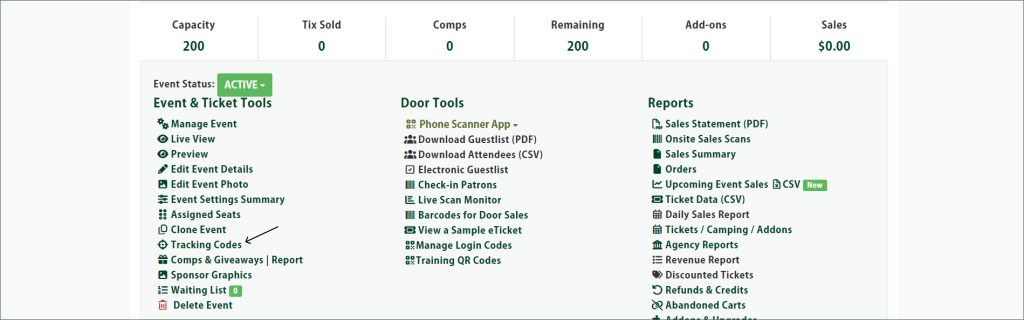
From the event management page, click Tracking Codes.
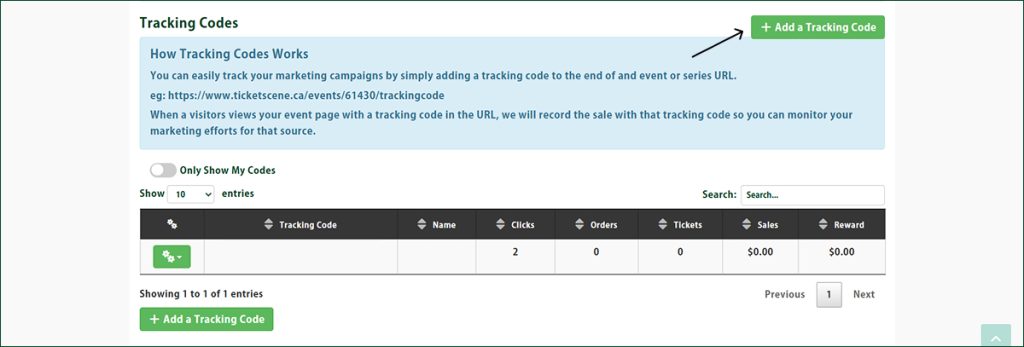
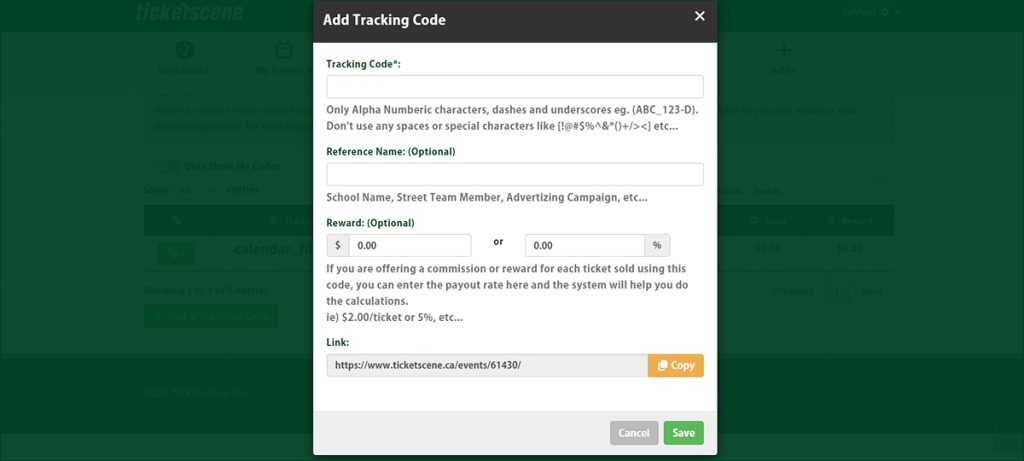
Then click the green + Add a Tracking Code button on the right side of the page and fill in the form.
Option 2: Add a Tracking Code Directly to Your Link
You can also create a tracking code on the fly by appending it to the end of your event URL when you share it.
For example, if your tracking code is advertisement1, you can share your link in this format:
“https://www.ticketscene.ca/events/00000/advertisement1”
When someone then clicks on this link and purchases a ticket, it will be tracked in your analytics reports under advertisement1.
Use Your Tracking Code to Generate a Unique QR Code for Event Marketing
To get the tracked link or a QR code for a tracking code you have already created, go to the event management page, click Tracking Codes.
Then click the green gear button to the left of the tracking code and select QR Codes & Link from the dropdown menu.
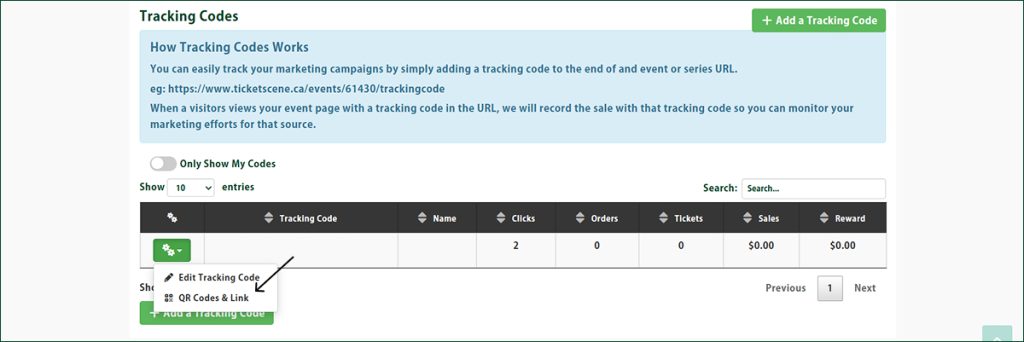
To copy the tracked link, click the orange Copy button.
To download the QR code, click the Download box and select the size of QR code you want to use. The QR code image will download to your device’s downloads folder.
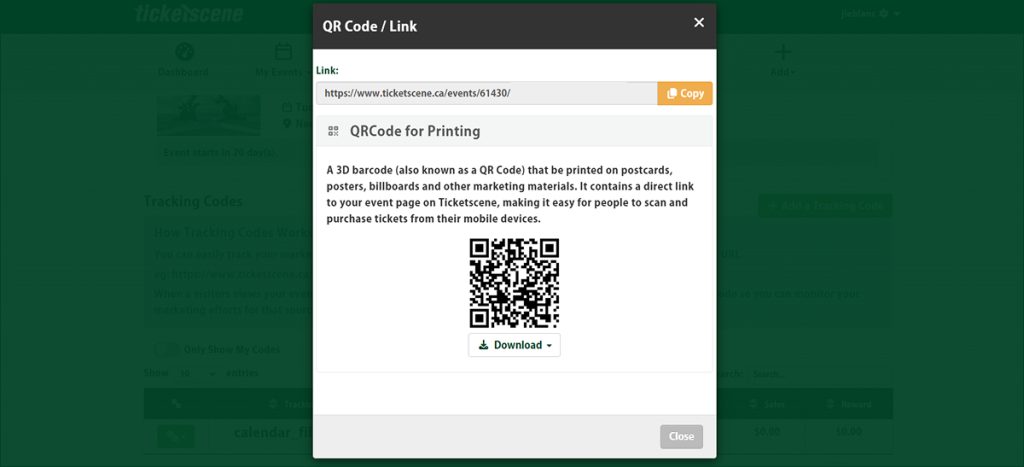
You can now use this image in your promotional materials and every ticket sold from it will register under the relevant tracking code.
Viewing Tracking Code Usage
There are two places on the event management page where you can see how your tracking codes are performing:
- Click Tracking Codes to see a summary alongside your codes.
- Under the Reports column, click Tracking Codes & Referrals for a full breakdown of visits and sales attributed to each code.
Have Questions About Tracking Codes?
If you need help setting up tracking codes or interpreting your results, the Ticketscene team is happy to assist. Reach out at info@ticketscene.ca and we will work with you to get the most out of your promotional tracking.