If you run recurring events – whether that’s a weekly comedy night, a multi-date music festival, or a show with several time slots – setting up an event series is the way to go. An event series groups your related events together under one listing, making it easier for ticket buyers to find all of your dates in one place. Here is everything you need to know to get your series up and running.
What Is a Series?
A series is a parent listing that connects multiple individual events together on Ticketscene. Think of it as the umbrella under which all of your related event dates live. It has its own name, description, and photo and once your events are linked to it, they appear together as a group on the platform.
*Please note that creating a series does not create your events. You will still need to create each individual event and then link them to the series separately.
How to Create a Series
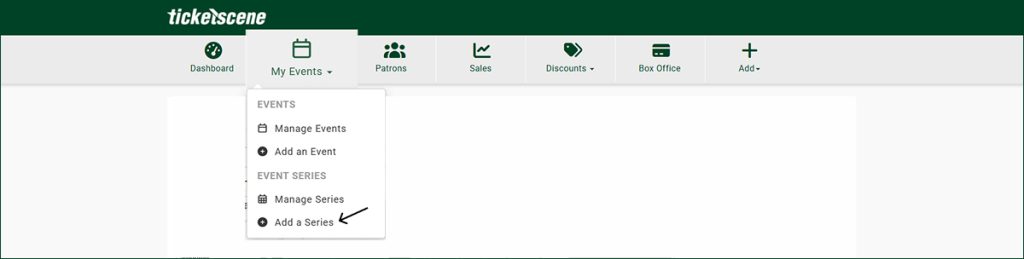
From the admin ribbon at the top of your account, click the Add a Series option.
This will bring you to the series creation form. Fill in all of the fields on the form, then click the green Submit button to save your series.
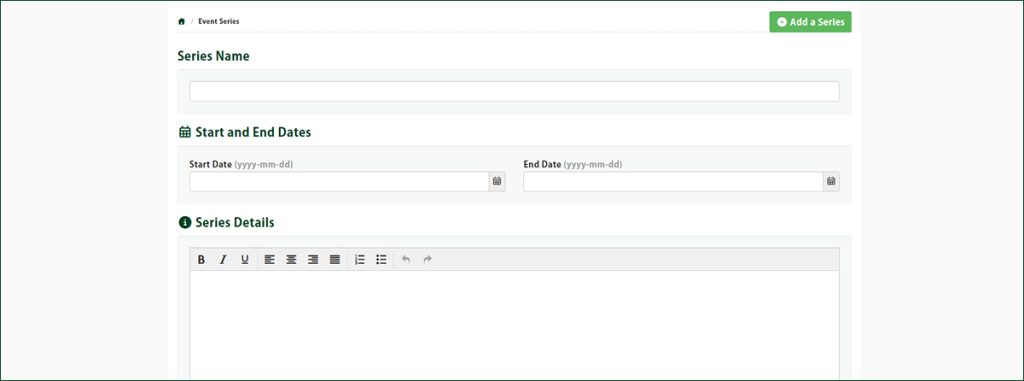
*Please note that the description should be generalized. Since this description applies to all events within the series, write it to describe the overall event rather than any one specific date or time.
As mentioned, once a series is created, your potential audience has a chance to see all of your events in a single location, which makes it easy for them to select the right date, time, and event for their needs.
How to Add Your Events to a Series
Once your series is created and your individual events are created, the last step is linking them together.
From the event management page, click the Edit Event option for the event you want to add. On the edit form, check the box beside the name of your series. This adds your event to the series and series page. Repeat this for each event you want included.
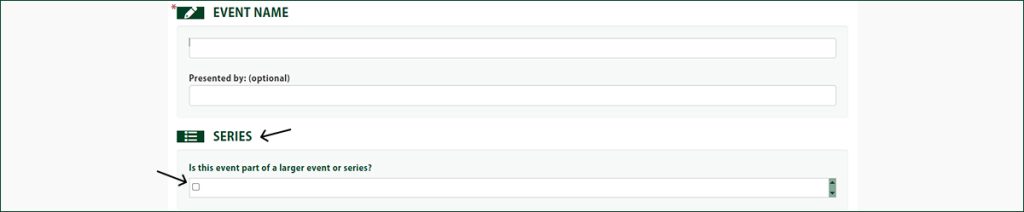
That’s it! Your events will now appear as part of your series on ticketscene.ca.
How to Upload or Update Your Series Photo
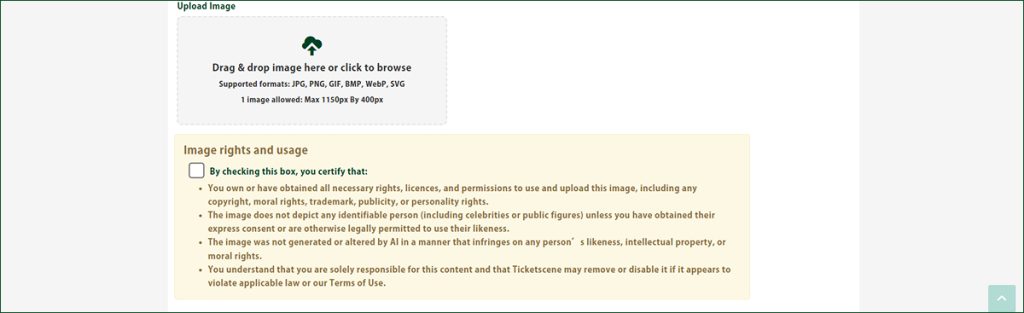
After saving your series, you can upload a series photo to behave as a banner image for your page.

From the series management page, click the name of the series you want to update the photo for.
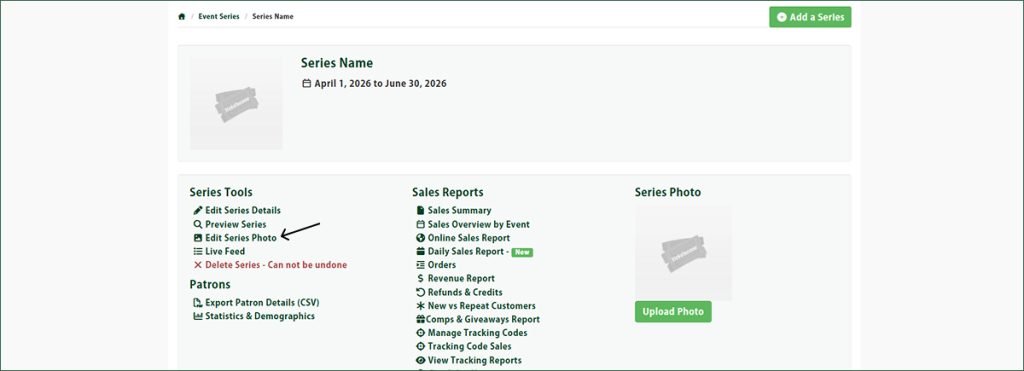
Then, under the Series Tools column, select the Edit Series Photo option to upload or replace an image.
Have Questions About Setting Up a Series?
If you run into any issues or have questions about organizing your events into a Series, reach out to the Ticketscene team at info@ticketscene.ca and we will be happy to help.