Once your event is live, keeping an eye on ticket sales is one of the best ways to gauge how things are going and plan ahead. Depending on what the data says, you can re-strategize marketing, ticket strategies, and more, and ultimately set expectations for your upcoming event. Fortunately, Ticketscene gives you several different reports and views so you can check your numbers, whether you just want a quick total or a detailed breakdown of every order, discount, and refund.
How Do I See a Breakdown of How Many Tickets Were Sold for My Event?
From the event management page, scroll down to the bottom of the page and there you will find the Ticket Types section.
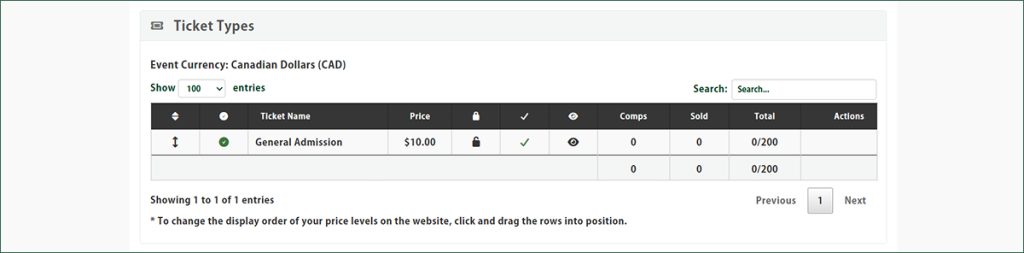
This gives you a quick, at-a-glance view of how each ticket type is selling, so you can see exactly where your numbers stand without digging through a report.
I Want to See the Current Sales Statement of My Event.
From the event management page, click Sales Statement (PDF).
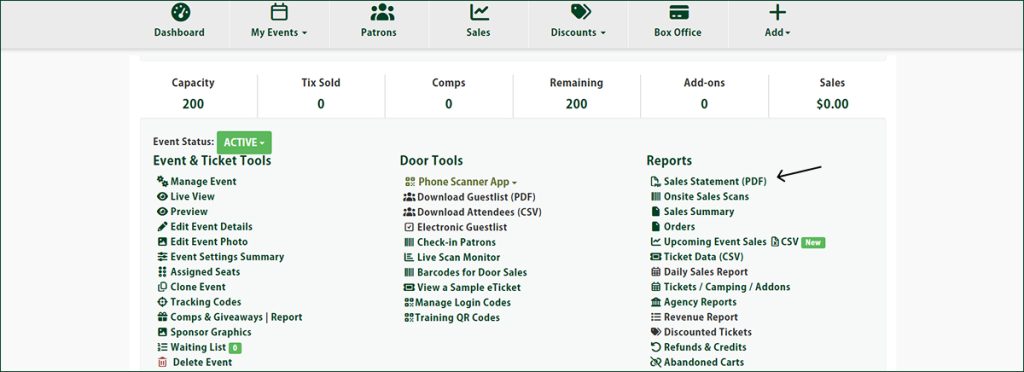
This generates a full statement of your event’s sales, and it will also show you all the add-ons associated with your event, so you have one document that covers everything.
I Want to See the Sales Breakdown of Each Price Level of My Event.
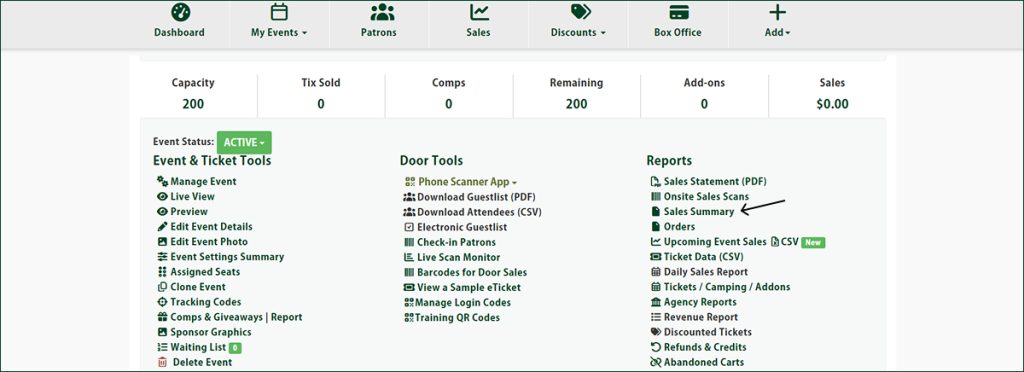
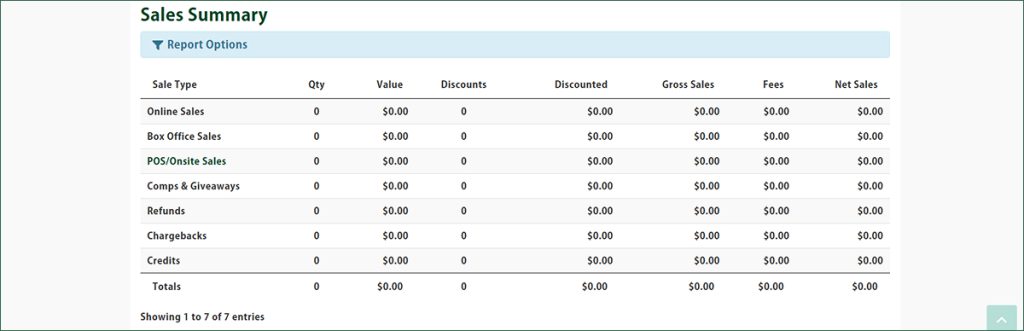
From the event management page, click Sales Summary.
This report breaks down your sales by price level, making it easy to see which ticket types are performing best.
I Want to See All the Orders of My Event.
From the event management page, click Orders.
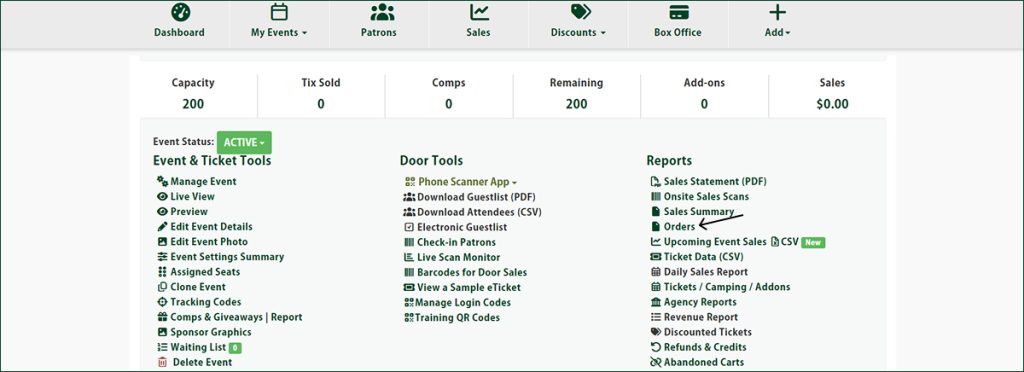
This will show you every order placed for your event, so you can review individual purchases whenever you need to.
How Do I View Daily Sales of My Event?
From the event management page, click Daily Sales Report.
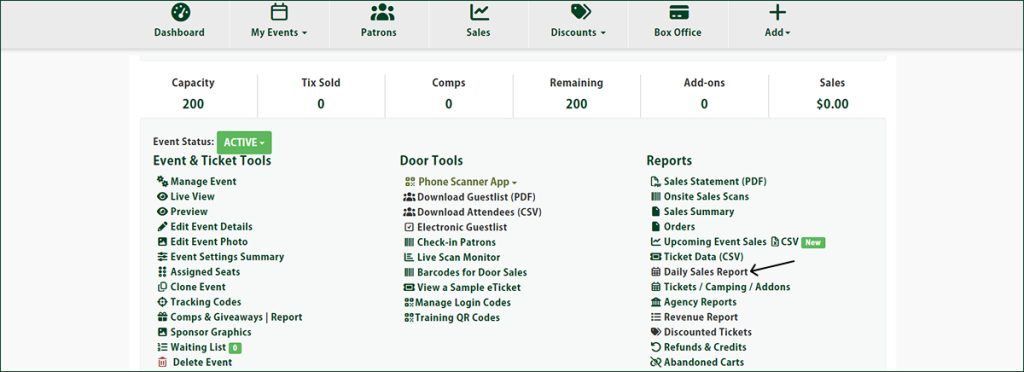
This lets you track how your sales are trending day by day, which is especially handy if you’re watching for a bump around a promotion or an announcement.
I Want to See All the Discounted Tickets for My Event.
From the event management page, click Discounted Tickets.
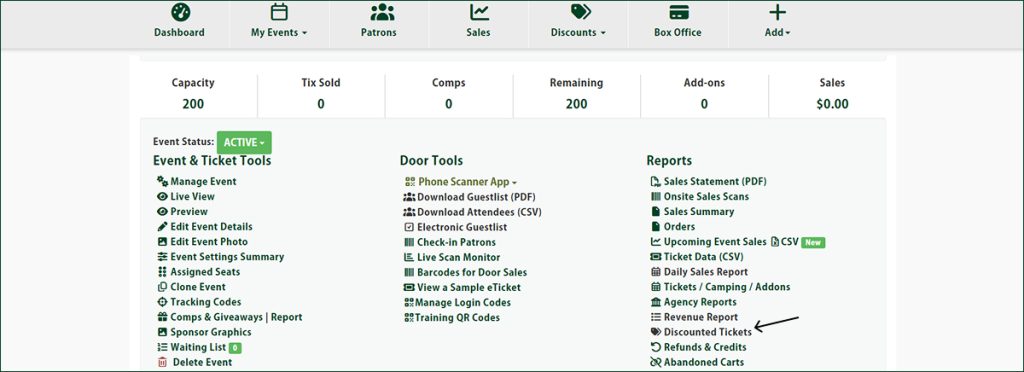
This will show you every ticket that was sold using a discount code, so you can keep tabs on how your promotions are performing.
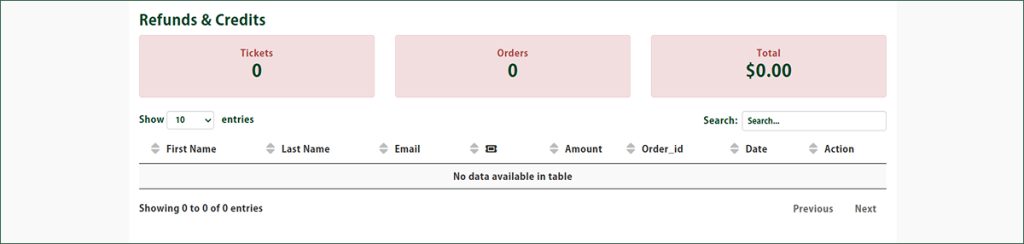
I Want to See All the Refunded Tickets for My Event.
From the event management page, click Refunds & Credits.
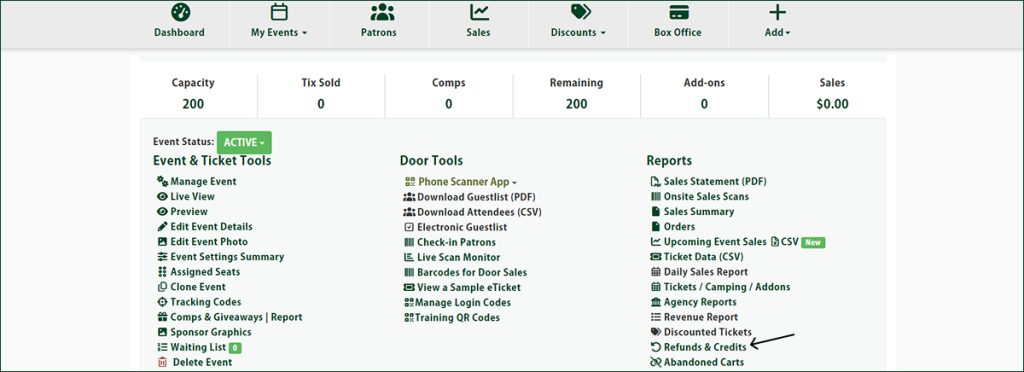
This gives you a full list of any tickets that have been refunded or credited, so your numbers always reflect what’s actually been sold.
My Event Has Add-Ons. How Do I See the Current Add-On Sales?
From the event management page, click Add-Ons & Upgrades.
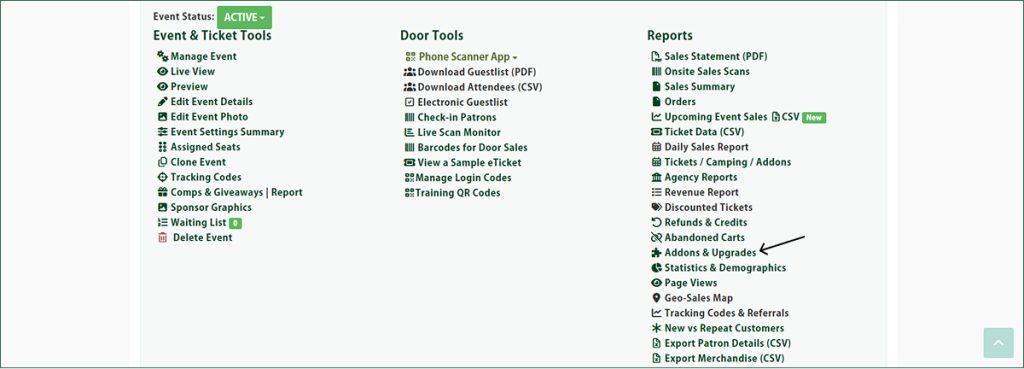
This will show you how your addons and upgrades are selling alongside your regular tickets.
Have Questions About Your Ticket Sales?
If you need a hand tracking down any of these reports, or you have questions about what the numbers mean, reach out to the Ticketscene team at info@ticketscene.ca and we will be happy to help.